
Replace the Default Anonymous Avatar on Blogger Comments
Step 1. Go to Dashboard - Template - click on the Edit HTML button

...click anywhere inside the code area and open the template search box by pressing the CTRL + F keys
Step 2. Type or paste this code in the search box, then hit Enter to find it:
</body>Step 3. Just above the </body> tag, add the following code:
<script src='http://code.jquery.com/jquery-latest.js'/>Step 4. Save the changes by clicking on the Save Template button
<script>
$("img[src='http://img1.blogblog.com/img/anon36.png']")
.attr('src', 'https://blogger.googleusercontent.com/img/b/R29vZ2xl/AVvXsEgy8mYlM-s_C7gaPbO1x4xqZHkcATNqJHeAPtN7gMTVaHweL7zR60IkydywagCrSm7u7DC4qmSSeEKAVRAUnwnsyRwkW2zuexZW8TSs4rIu1igAf4SLgcBepINHfGp0fDxLkSvZAtwSrn0/s1600/default_avatar.gif')
.ssyby('blank')
</script>
<script src='http://code.jquery.com/jquery-latest.js'/>
<script>
$("img[src='http://img2.blogblog.com/img/b36-rounded.png']")
.attr('src', 'https://blogger.googleusercontent.com/img/b/R29vZ2xl/AVvXsEgR_LUNeSJZwBgxFXwuaQIroczTnMPKAIE7RiEDaKrxtfpq7_rUi_fhbEixdegmFUa3rzZXDjZkHX8p-s4-AJSP1dZkZ1Z9n4fvIM9UBECT7VH2acRFAvEbkD4mzmNzUtqGC5iSoOEcvEs/s1600/blogger-user.png')
.ssyby('blank')
</script>
Changing the default avatar
For Anonymous users: Replace the code in red with your image addressFor Blogger users: Replace the URL in blue with your own.
You can choose an avatar from here and then copy the url of it:

https://blogger.googleusercontent.com/img/b/R29vZ2xl/AVvXsEgy8mYlM-s_C7gaPbO1x4xqZHkcATNqJHeAPtN7gMTVaHweL7zR60IkydywagCrSm7u7DC4qmSSeEKAVRAUnwnsyRwkW2zuexZW8TSs4rIu1igAf4SLgcBepINHfGp0fDxLkSvZAtwSrn0/s200/default_avatar.gif

https://blogger.googleusercontent.com/img/b/R29vZ2xl/AVvXsEgolpOgrGdc-SvjRyLxA4_w8BLJzJVW90uYszGesc_Wh17F_9yibCGyjgtqfeT2U64PyJ7dHZ7uzZMURX5NGeADlu-zI2RghxhIRWPZQrGhm3-AzWpgXTmOpF7KNWIA-2zJnLDN5zs19PI/s1600/facebook.gif
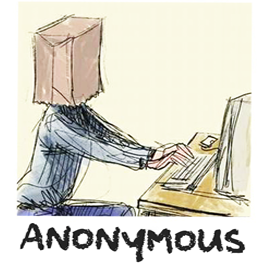
https://blogger.googleusercontent.com/img/b/R29vZ2xl/AVvXsEheO4hYX2oRE-9doTHCrd3gAtcnD28Trtg8XB086u3F19COuLJm640InxbTWeYqNmyycur9YEeLD5EzuIcRYHkD0DfkBuZZ1IuOpHhwc-LLp3_zX_eSV2Znyl61DNObNA93KYNOJCcqYwU/s1600/anonymous3.png

https://blogger.googleusercontent.com/img/b/R29vZ2xl/AVvXsEixeHCZ7JI6DdScpoqy3jVsrNVJe37jbzwR0y_snLk4bZt7Cj0iAO2sz_WEeoPJ39IkkQqhyphenhyphenvwI2qEHJ7uTCmG9UHbdGLHcScmi90REvw3QnLviE_BLzvxz4g0yoLl_8dB-UpiysF1jJ0n1/s1600/blogger-user.png
That's it! If you found this trick useful, please consider sharing it.
0 Response to "How to Change Default Anonymous Avatar in Blogger Comments"
Posting Komentar